Holidays & absences
Holiday requests, pro rata balances, cantonal public holidays and every type of absence in one place, with automatic effect on time balance and pay.
Holidays are a constant topic in every company: requests on slips of paper, balances in someone's head, and at the end of the year the question of who still has how many days left. With part-time work, joining during the year or young employees with a higher entitlement, mistakes creep in quickly.
HREasy manages holidays and all other absences in one system. Employees request them in the portal or the app, and you approve with one click. Entitlement is calculated by age, workload and length of employment, and the remainder is carried over into the new year automatically. Every approved absence then has the same knock-on effect: paid days credit the daily target in time tracking, unpaid days are deducted from the overtime or holiday balance.
Sound familiar?
- Holiday requests arrive by e-mail, on paper or in the corridor, and nobody has the overview.
- The holiday balance for part-time staff or people joining mid-year is calculated by hand and is wrong.
- Public holidays are forgotten or wrongly deducted from the holiday balance.
- At the end of the year it is unclear how many days are carried over into the new one.
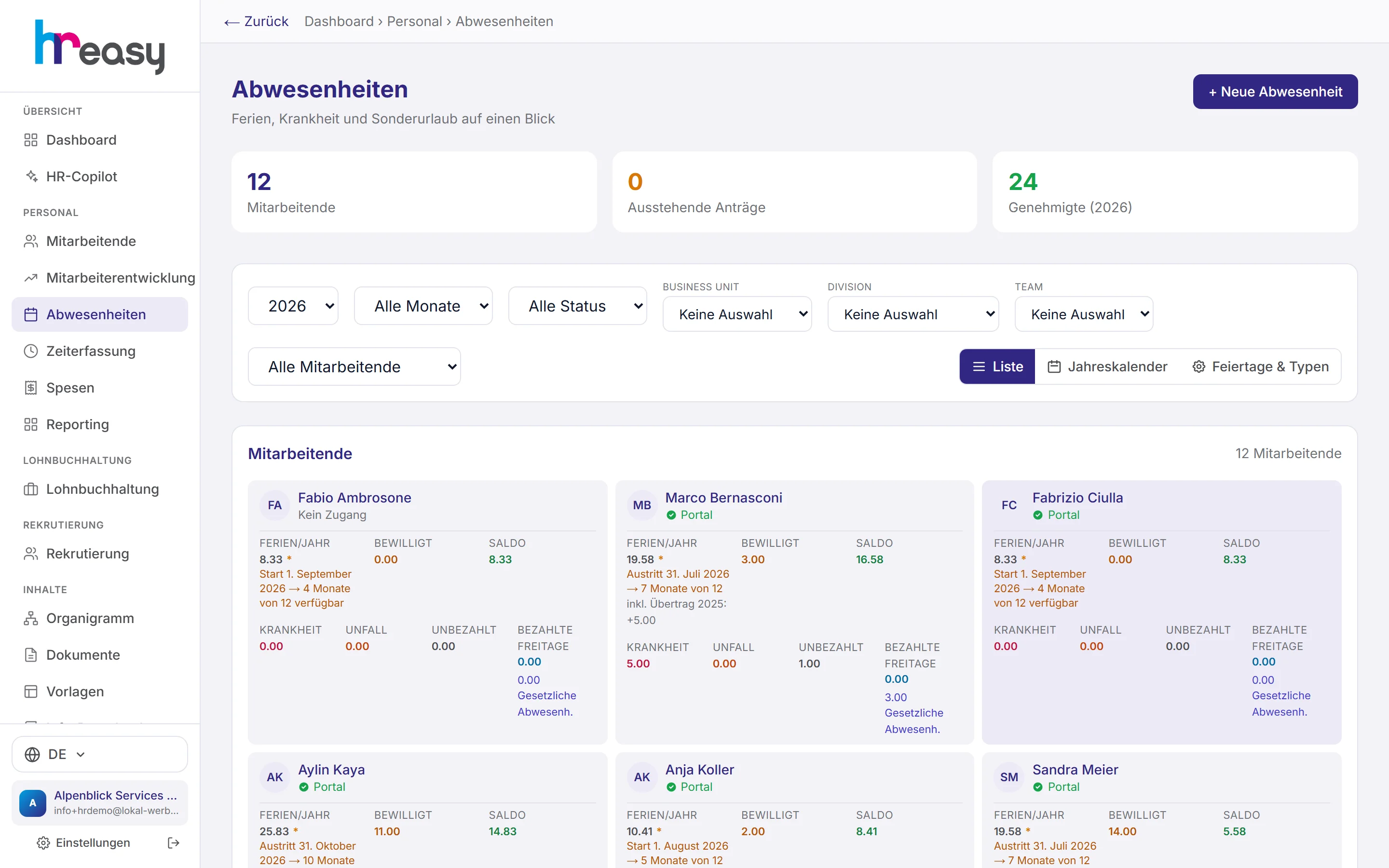
Entitlement, days taken and balance, with the reason
Every person has their own card: holidays per year, approved days and the remaining balance, plus sickness, accident, unpaid days and paid days off. Where the entitlement is pro rata, the reason is shown right there, for example «leaving 31 October → 10 months of 12» or the carry-over from the previous year.
Filters by year, month, status, person and organisational unit narrow down the list. Double-clicking a card opens the detail view with all periods and the totals per absence type.
- Pro rata entitlement when joining or leaving during the year
- Carry-over from the previous year is included automatically
- Paid days off under CO Art. 329 para. 3 and statutory absences such as military service or maternity
Employees make their own requests
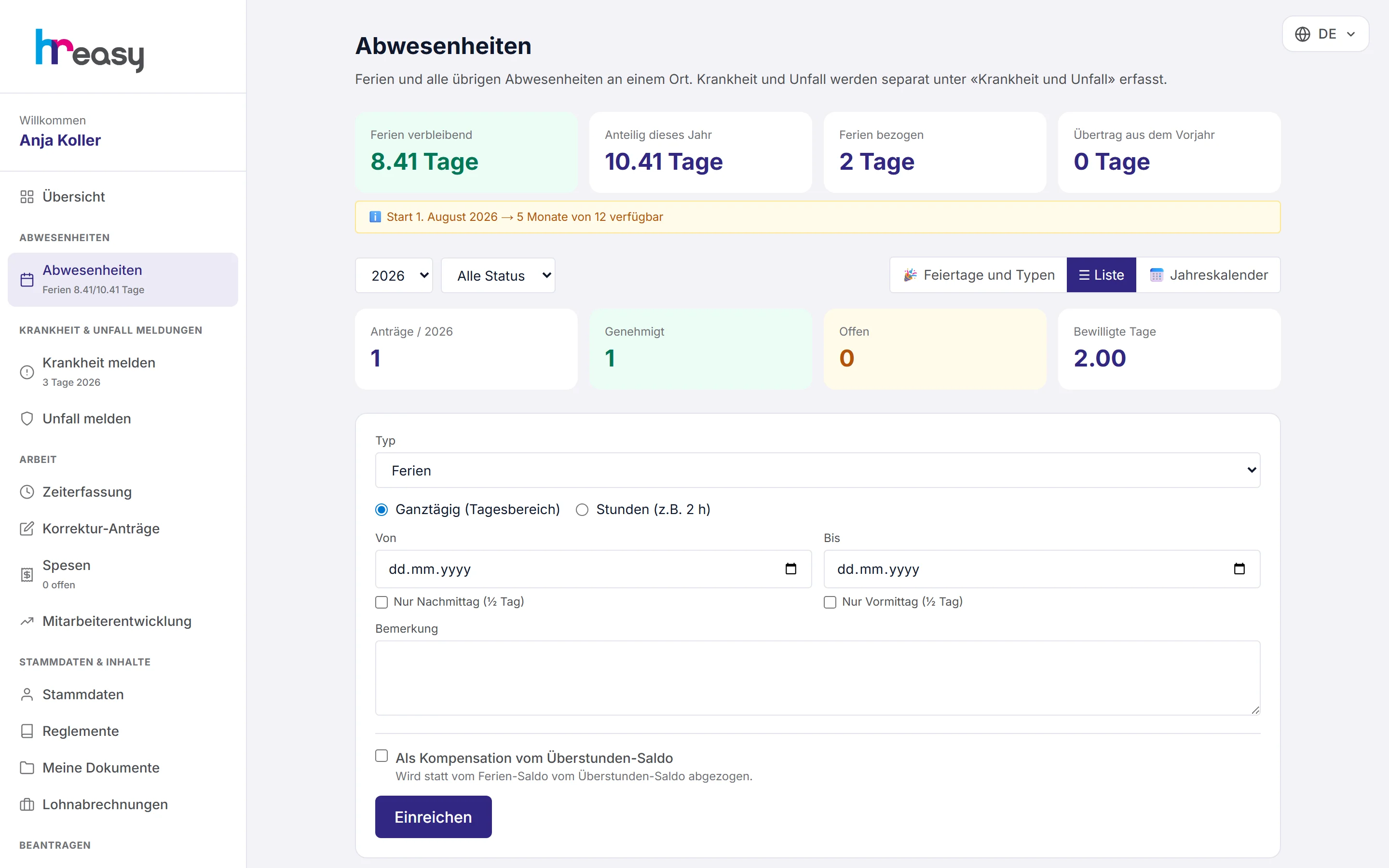
In the employee portal every person sees their holiday balance, this year's entitlement, days taken and the carry-over. A request takes seconds: choose the type, enter the period, full day or by the hour, and mark it as overtime compensation if needed.
Requested absences can be edited as long as they are open. Public holidays and the company's absence types are visible in the portal, so nobody books holidays on a public holiday.
- Requests also possible in the HREasy app
- Overtime compensation with a tick box
- Own «Ferien» (holidays) status tile with entitlement and remainder
Approve with the balance in view
In the list you approve requests, reject them with a reason, edit or cancel them. If the balance is not sufficient, HREasy asks before approval; taking days in advance is only possible explicitly.
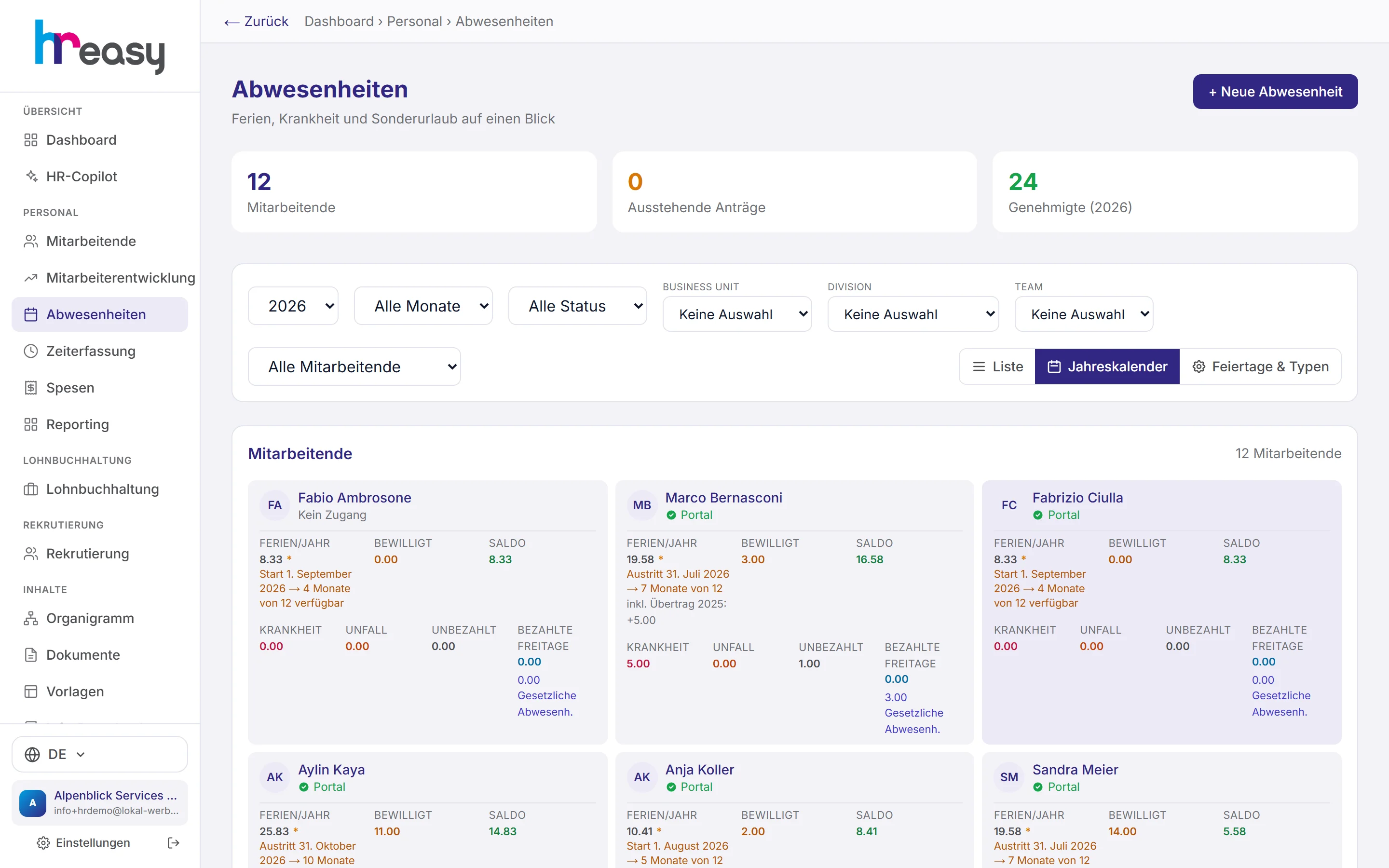
The annual calendar shows all absences in colours by type together with the public holidays. That way you see early when a team is about to be empty at the same time.
- Query when the holiday balance is insufficient
- Several absences per day possible, with a warning for overlaps
- Record a new absence on behalf of a person
Your company's rules, stored once
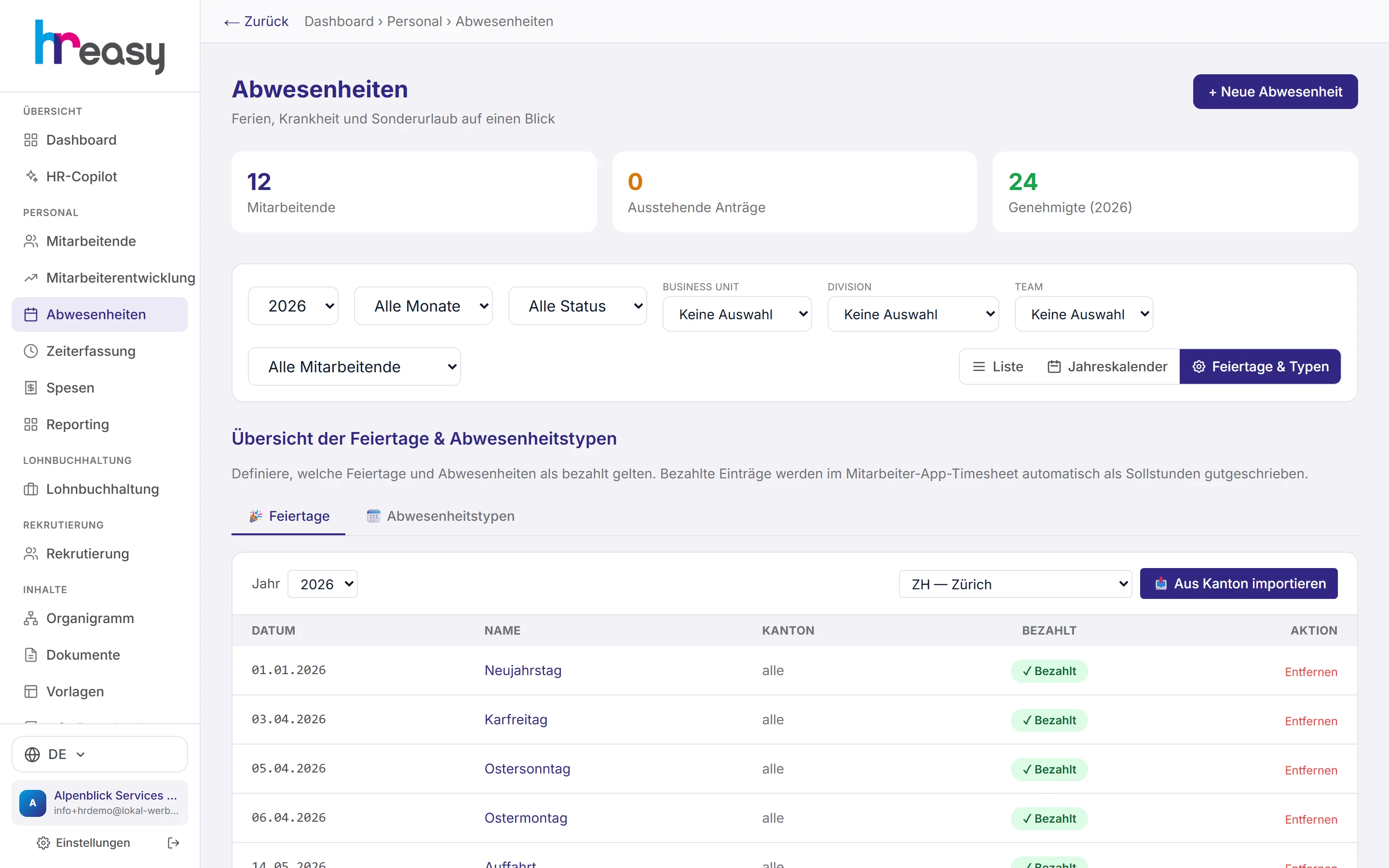
You import public holidays from the canton with one click; the place of work is what counts. You decide which of them are paid. Paid public holidays are credited automatically as target hours.
Absence types define what an absence does: paid or unpaid, subject to approval or not, with or without holiday deduction, plus the number of paid days and the legal basis.
- Import of cantonal public holidays by place of work
- Absence types with effect on pay and holidays
- Employees see public holidays and types read-only
From request to the correct balance
An absence is recorded once and then takes effect everywhere it counts.
Request
The person submits the request in the portal or the app, full day, half day or by the hour.
Check
HREasy checks the holiday balance and reports overlaps before you decide.
Approve
One click approves; a rejection requires a reason.
Book
Paid days credit the daily target, unpaid days are deducted from the overtime or holiday balance.
Update
Balance, calendar and reporting are up to date immediately; the remainder carries over into the new year.
Everything works together
No module stands alone. What you enter here flows automatically to wherever it is needed, without entering it twice.
What HREasy offers
Entitlement by law
At least 25 days up to the age of 20, otherwise 20 (CO Art. 329a), scaled by workload.
Pro rata when joining or leaving
Anyone joining or leaving during the year gets the proportional entitlement, with the reason shown.
Automatic carry-over
The remainder from the previous year is carried over into the new year automatically and shown separately on the card.
Balance check on approval
If the balance is not sufficient, HREasy asks. Days are never taken in advance by accident.
Half days and hours
Full days, half days or absences to the hour, paid, unpaid or by absence type.
Overtime compensation
Mark an absence as compensation and it is deducted from the overtime balance.
Cantonal public holidays
Imported from the canton of the place of work; paid public holidays are credited as target time automatically.
Your own absence types
Paid, subject to approval, with holiday deduction and legal basis, matching your regulations.
Balance check with correction suggestion
HREasy detects balances that started off wrong and suggests a correction that only applies once confirmed.
What you should know
What an approved absence triggers automatically
Approval is not the end of the job: a paid absence must count as target time in time tracking, otherwise minus hours build up. HREasy therefore creates a time entry automatically for each working day.
Unpaid absences of less than two days are deducted from the overtime balance, from two days on from the holiday balance. That way time balance and holiday account match without anyone having to rebook.
Public holidays by place of work
Which public holidays apply depends on the canton. What counts is the place of work, not the company's registered office (Labour Act Art. 20a).
HREasy imports the canton's public holidays, and you confirm which are paid. Public holidays are thus never deducted from the holiday account and appear in the calendar of everyone concerned.
Frequently asked questions
How many days of holiday are employees entitled to by law?
At least four weeks per year, five weeks up to the age of 20 (CO Art. 329a). The contract or CEA may provide for more.
How is the balance calculated for part-time work?
Proportionally to workload and length of employment during the year. The reason is shown on the card, for example «7 months of 12».
Can employees see their balance themselves?
Yes, in the portal and in the app, with entitlement, days taken, carry-over and remainder.
What happens to holidays not taken?
The remainder is carried over into the new year automatically and shown on the card as carry-over.
Can overtime be compensated with time off?
Yes. An absence can be marked as compensation; it is then deducted from the overtime balance instead of the holiday account.
More modules
Ready to automate holidays?
Set up in 5 minutes, no HR knowledge needed. The agent takes care of the rest.
Request trial access now